
June 1, 2026 · simatic-axsiemensplc-programmingstructured-texterror-handlingtry-catchindustrial-automationcontrol-systems
When I first put this article on the roadmap, the title had one obvious hook: TRY/CATCH.
For a controls engineer coming from TIA Portal, that is an interesting phrase. TIA Portal SCL does not give us general-purpose exception handling. We handle errors the PLC way: status bits, alarm words, return codes, watchdogs, interlocks, and explicit checks before doing dangerous operations.
SIMATIC AX looks more like modern software engineering. It has namespaces, classes, interfaces, packages, a command line, unit tests, and git-friendly source files. So the natural question is:
Can AX Structured Text use TRY/CATCH like an IT language?
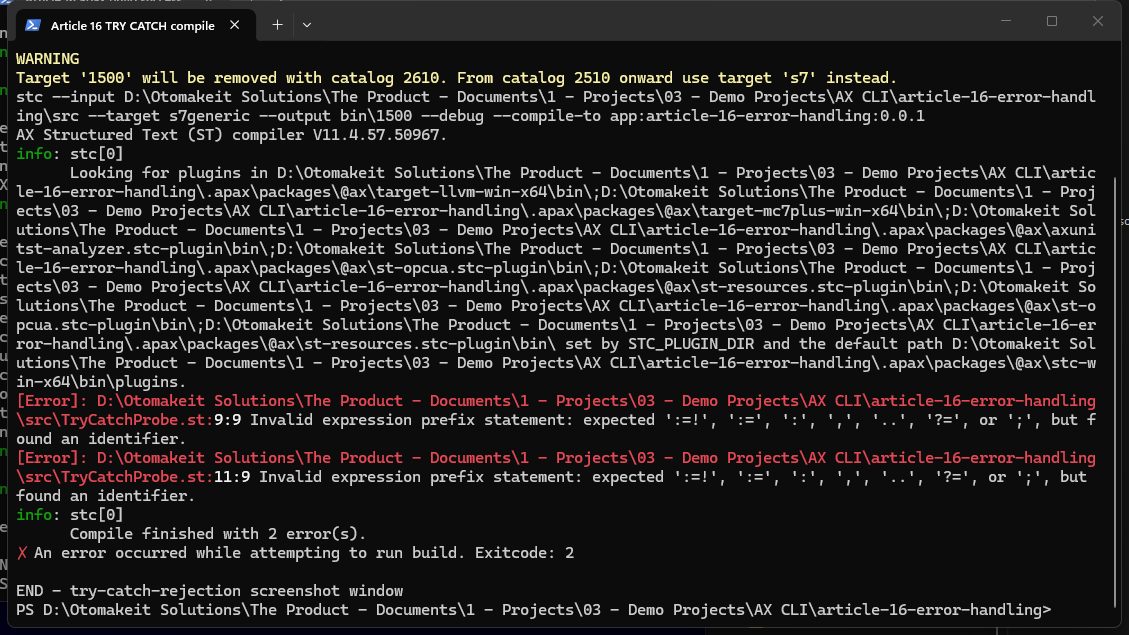
I tested that question directly. The short answer, with the current SIMATIC AX toolchain used for this article, is no: general ST TRY/CATCH is not accepted by the SIMATIC AX compiler.
That does not mean exception handling is impossible in PLC programming. The standard most controls engineers point to here is IEC 61131-3, and other IEC-style environments, including CODESYS, document exception-handling operators such as __TRY and __CATCH.
So the useful finding is narrower and more practical: this SIMATIC AX toolchain did not expose a general TRY/CATCH construct in the ST surface I tested.
That changes the question from “can PLC languages ever catch exceptions?” to:
How do I write AX code so expected fault conditions are handled deterministically before they become runtime faults?
The Compiler Probe
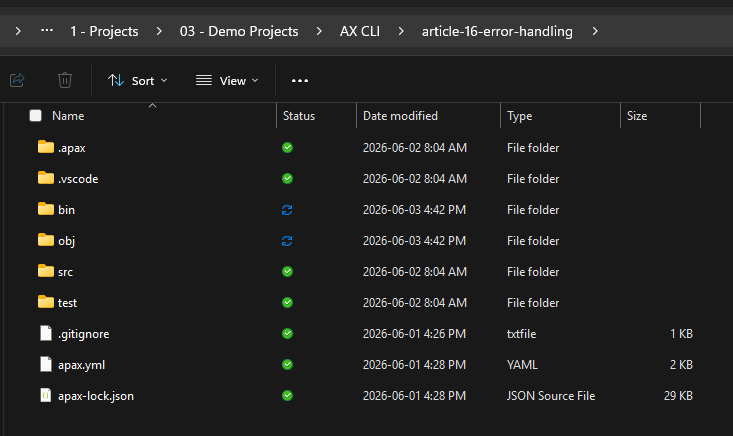
I created a small Article 16 demo project:
article-16-error-handling
I did not extend the Article 15 demo. Article 15 is already part of the published scan-cycle article state, and I did not want to mix a new error-handling experiment into that project.
Then I tried the smallest possible TRY/CATCH probe:
FUNCTION TryCatchProbe : INT
    VAR_TEMP
        iDenominator : INT := INT#0;
    END_VAR

    TRY
        TryCatchProbe := INT#5 / iDenominator;
    CATCH
        TryCatchProbe := INT#0;
    END_TRY;
END_FUNCTION
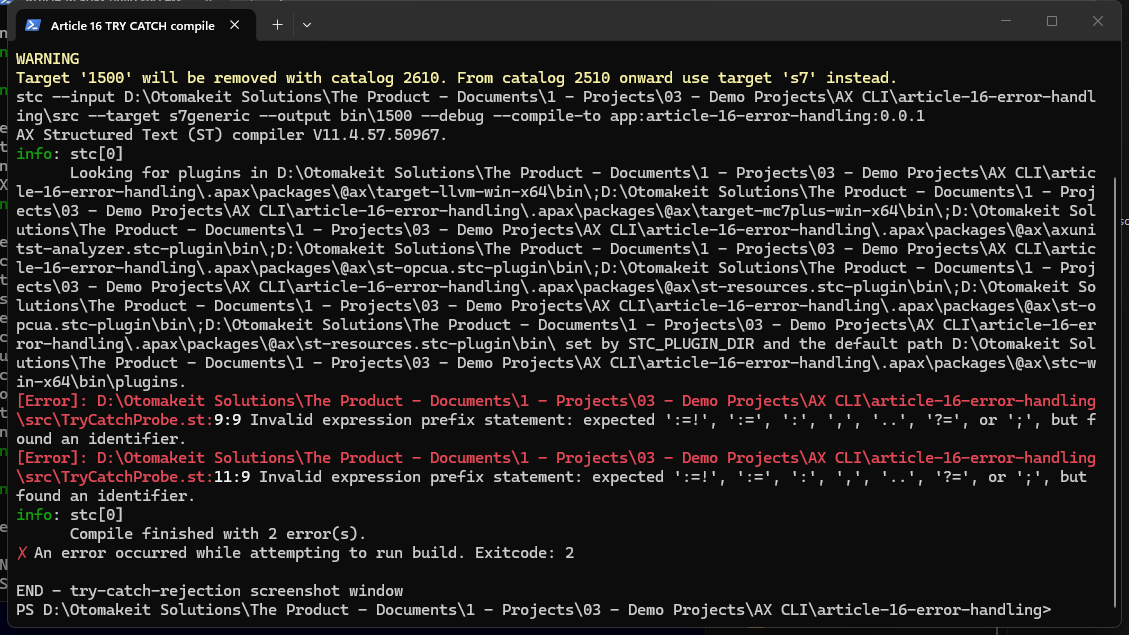
The compiler rejected it:
[Error] TryCatchProbe.st:9:9 Invalid expression prefix statement ...
[Error] TryCatchProbe.st:11:9 Invalid expression prefix statement ...
Compile finished with 2 error(s).
I also checked the Siemens Structured Text language reference. The statement section lists the normal ST statement families: assignment, conditional statements, CASE, iteration statements, and jump statements. I did not find a TRY statement in that reference, and the compiler result matches that.
This is an important distinction. I am not saying “TRY/CATCH cannot belong in PLC programming.” CODESYS shows that PLC environments can support exception-handling syntax. I am saying that the tested SIMATIC AX compiler and public language reference did not support the general TRY/CATCH/END_TRY pattern I tried.
So for this article, I am not going to pretend AX has a construct that this toolchain rejected. The better lesson is where SIMATIC AX currently sits and how to keep error handling deterministic when that construct is not available.
What AX Does Give You
AX gives a much better development workflow than classic TIA Portal in several areas:
- plain text source code
- compiler output in the terminal
- package-managed dependencies
- AxUnit tests
- source-control-friendly project files
- repeatable builds
Those are real improvements. But they do not automatically give every feature that a controls engineer might expect from modern software or from another IEC 61131-3 environment.
A PLC runtime still has to keep control behavior deterministic. If a value can be zero, check it before dividing. If an operator-entered index can be outside the array range, check the bounds before indexing. If a reference can be null, check it before dereferencing. If a communication block returns an error code, handle the code explicitly.
That is not old-fashioned. That is controls engineering.
A Quick Note on LLVM
The Siemens documentation compares behavior between an S7-1500 target and an llvm target.
In this article, S7-1500 means the real SIMATIC S7-1500 PLC family. llvm means the AX native compiler/test target used for PC-side builds and AxUnit-style testing. It is not an S7-1200, and it is not a virtual S7 PLC. Siemens also notes that artifacts compiled with the llvm target cannot be downloaded to a PLC.
I mention llvm only because Siemens uses that target in the runtime-behavior documentation. The practical point for a reader is simple: the same unsafe operation can behave differently depending on where the AX code is compiled and executed, so expected bad inputs should be handled before the risky operation.
Runtime Faults Are Not a Clean Recovery Strategy
The Siemens ST documentation is direct about some runtime behaviors.
For array access outside the bounds, behavior depends on the target. On an S7-1500 CPU, the CPU can stop. On the AX llvm test target, the runtime can crash when runtime checks are enabled; without checks, the result can be indeterministic.
For integer division by zero, the behavior is also target-specific. Siemens documents that 5/0 returns 0 on an S7-1500 target, while the llvm runtime crashes.
For dereferencing a NULL reference, both targets are unsafe: the S7-1500 can stop and the llvm runtime can crash.
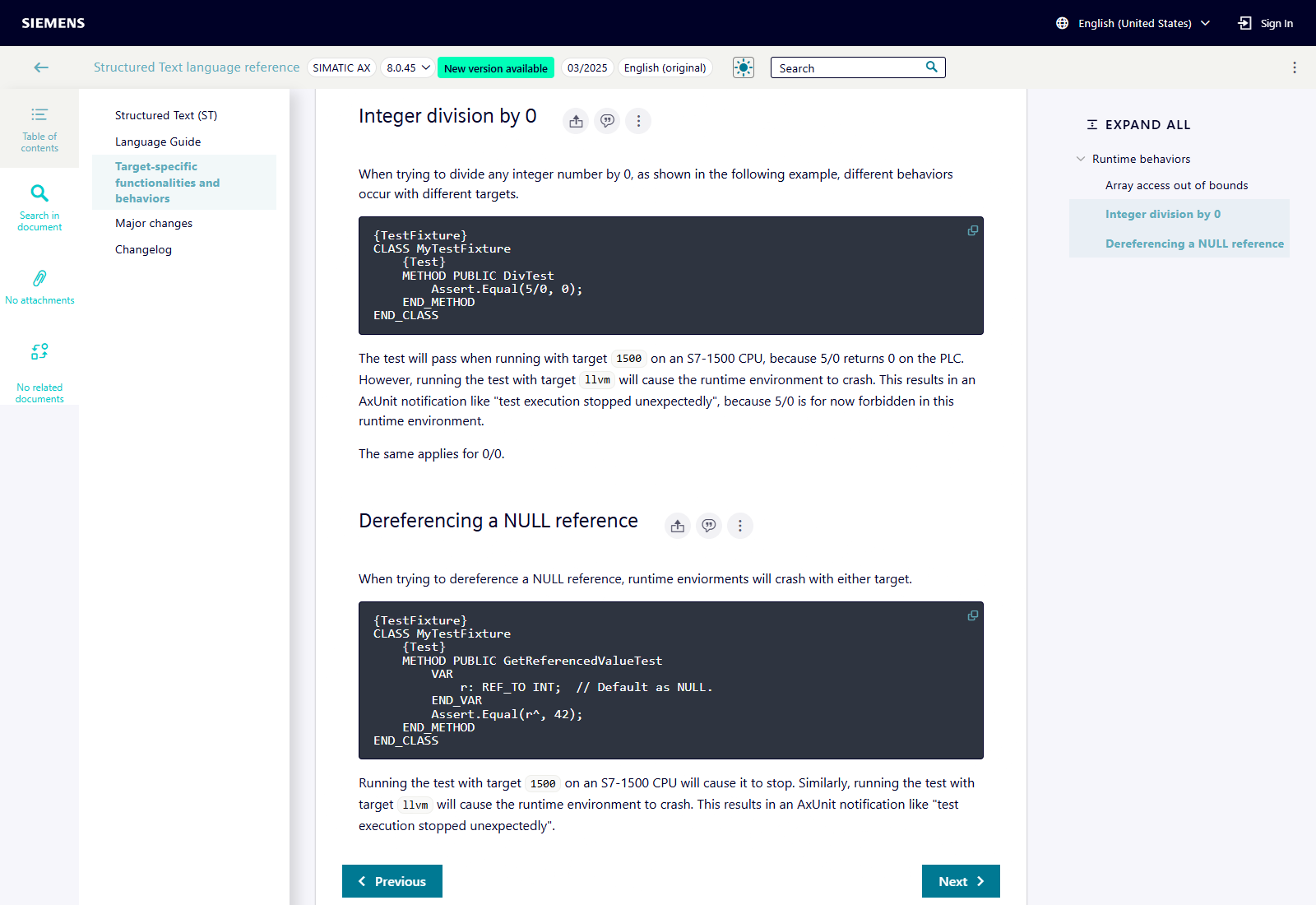
That is the key point. If the same bad operation can return 0 on one target and crash on another, it is not something I want to build normal control flow around.
The responsible pattern is to make the expected error condition explicit before the risky operation.
A Small Deterministic Error-Handling Demo
The demo project contains one function block:
src/ErrorHandlingDemo.st
It does two small operations that are easy to reason about:
- Divide an integer numerator by an integer denominator.
- Read an integer value from a small lookup array.
Both operations can go wrong if the input is bad. A denominator can be zero. An array index can be out of range.
The function block does not try to “catch” those failures. It prevents them:
IF i_iDenominator = INT#0 THEN
    q_xError := TRUE;
    q_wAlarmWord := q_wAlarmWord OR ALARM_DIVIDE_BY_ZERO;
ELSE
    q_iRatio := i_iNumerator / i_iDenominator;
END_IF;

IF (i_iLookupIndex < INT#0) OR (i_iLookupIndex > INT#3) THEN
    q_xError := TRUE;
    q_wAlarmWord := q_wAlarmWord OR ALARM_INDEX_OUT_OF_RANGE;
ELSE
    q_iSelectedValue := _arrLookup[i_iLookupIndex];
END_IF;
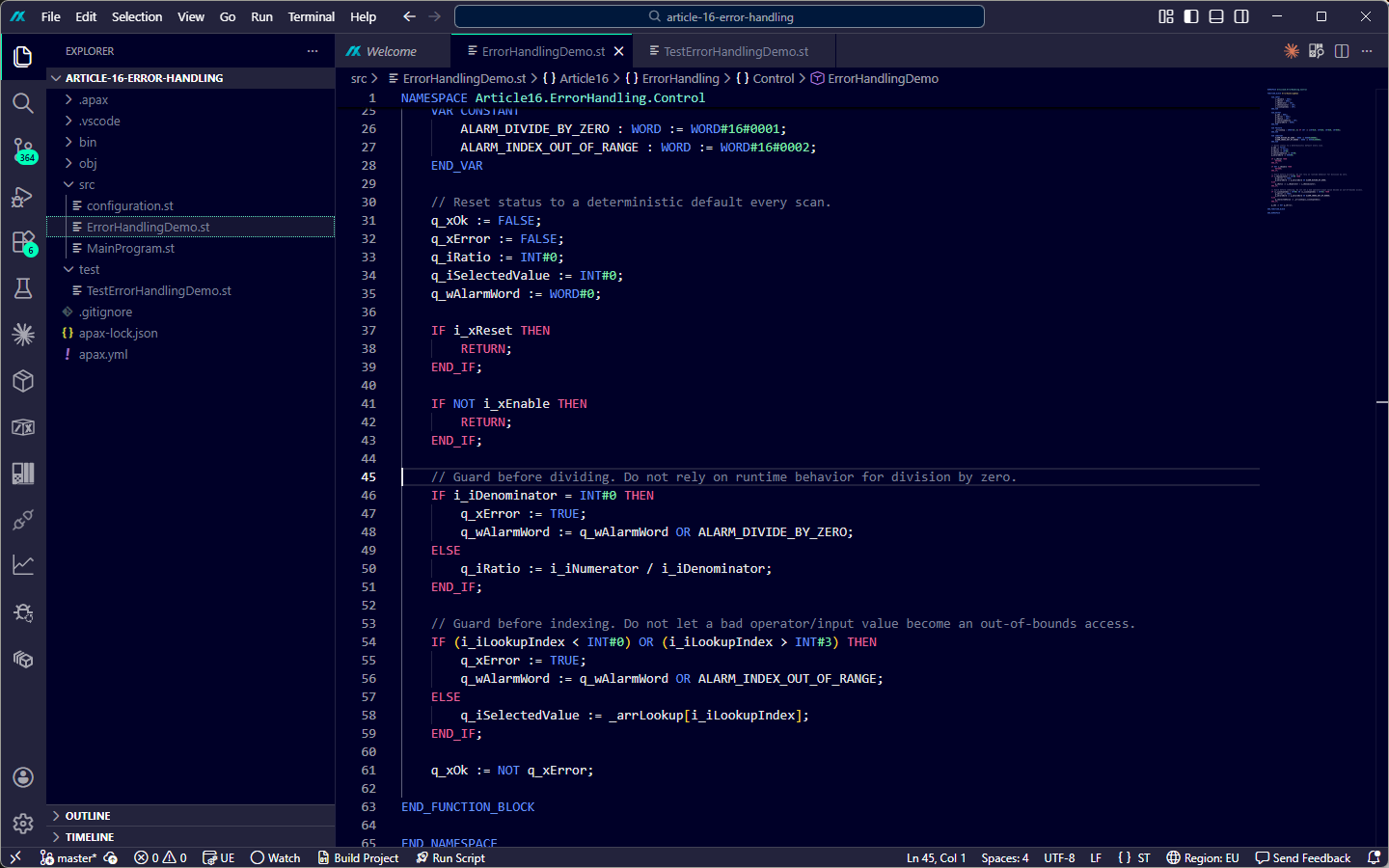
This is the same basic thinking I would use in TIA Portal, but AX makes it easier to prove.
The block exposes:
q_xOkq_xErrorq_iRatioq_iSelectedValueq_wAlarmWord
The alarm word uses two bits:
ALARM_DIVIDE_BY_ZERO     : WORD := WORD#16#0001;
ALARM_INDEX_OUT_OF_RANGE : WORD := WORD#16#0002;
This is very familiar PLC structure: a Boolean summary, a machine-readable alarm word, and safe output defaults.
Reset to a Safe Default Every Scan
The first lines in the function block reset all outputs to a known state:
q_xOk := FALSE;
q_xError := FALSE;
q_iRatio := INT#0;
q_iSelectedValue := INT#0;
q_wAlarmWord := WORD#0;
This is deliberate.
If the block is disabled, it returns with safe default values. If a fault condition is found, only the relevant output and alarm bit are set. There is no stale value from a previous good scan pretending to be current data.
This is one of the places where TIA Portal experience transfers directly. In industrial code, stale data is dangerous because it looks valid. A bad calculation should not leave yesterday’s good value on the output unless that is an explicit hold-last-good-value design decision.
In this demo, I chose the simpler and safer default: bad input means safe zero result plus alarm indication.
Proving It With AxUnit
The demo has four AxUnit tests:
- valid inputs calculate the expected ratio and lookup value
- zero denominator sets the divide-by-zero alarm and keeps the result safe
- out-of-range array index sets the bounds alarm and avoids the array read
- disabled block does not evaluate the risky operations
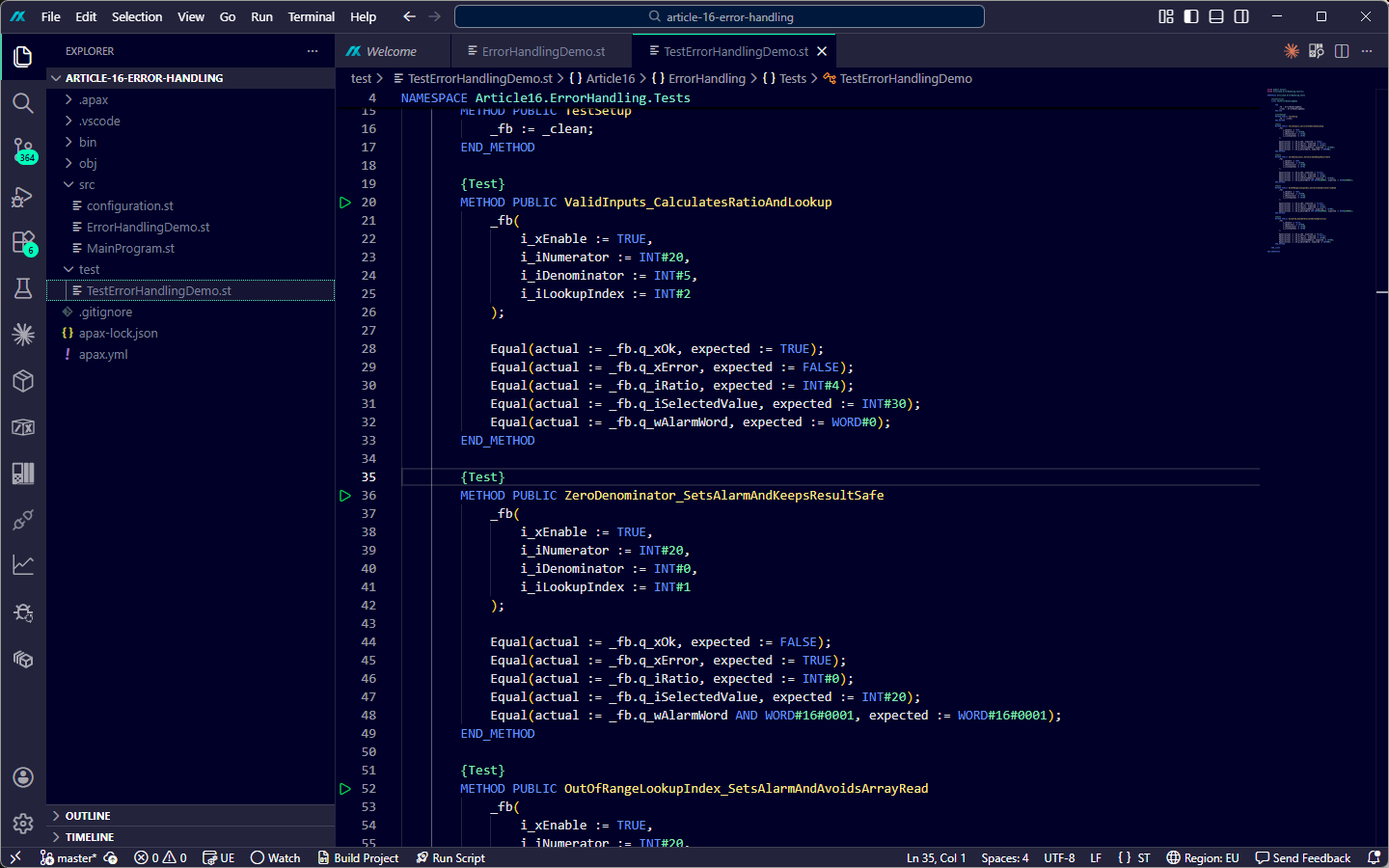
The project builds clean on both configured AX targets:
apax build

Target s7generic / 1500:
  Compile finished with 0 error(s).

Target llvm:
  Compile finished with 0 error(s).
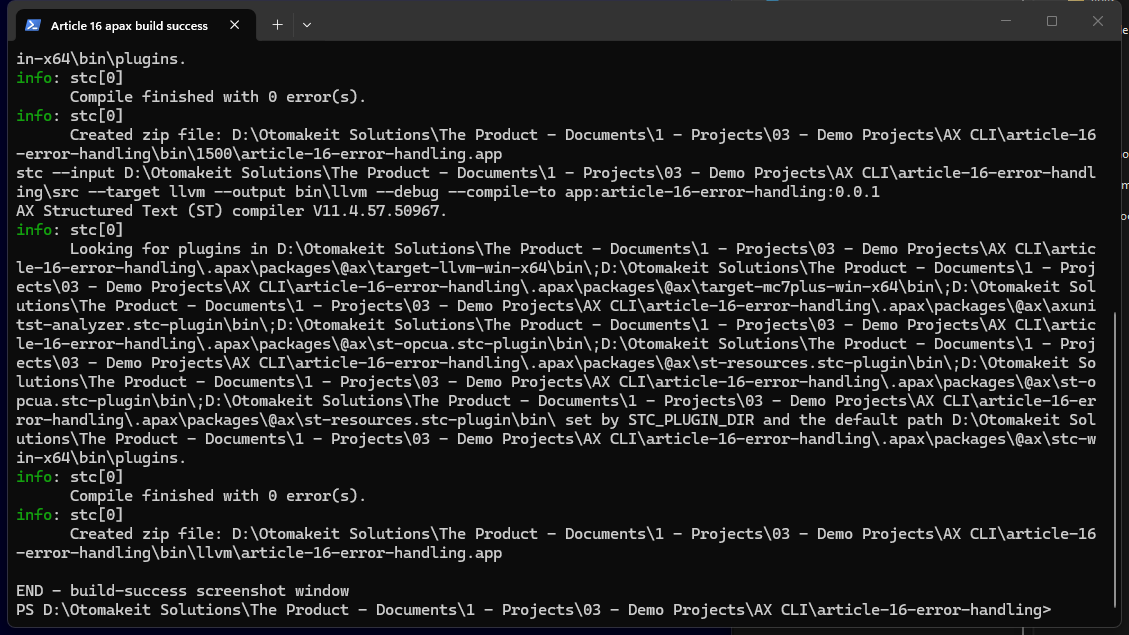
For this public article, I do not want to turn setup-specific test execution details into a lesson for the reader. The useful public proof is simpler:
- the production ST source builds clean for the S7-1500 target
- the same source builds clean for the AX native test target
- the AxUnit test source documents the expected safe behavior for good inputs, zero denominator, out-of-range index, and disabled state
That is enough for the point of this article: the examples are compile-clean AX code, and the tests make the intended error-handling behavior visible. I am not presenting this small demo as a certified runtime test campaign.
The TIA Portal Lens
In TIA Portal, I would normally handle these same cases with:
- explicit
IFchecks before division - bounds checks before indirect access
ENO/ status outputs for library blocks- alarm words for operator-facing diagnostics
- watchdogs for time-based failure modes
- fault states in a state machine
AX does not remove that responsibility.
What AX adds is the ability to put those rules under normal software-engineering discipline. The code is text. The test cases are text. The build output is text. The compiler tells me exactly where a pattern is not valid.
That is the real improvement.
What I Would Not Do
I would not use exception-style thinking for normal PLC conditions:
- an operator enters zero as a divisor
- a recipe sends an invalid index
- a sensor value is outside the expected range
- a drive reports a communication error
- a mode transition is not allowed
Those are not exceptional in the control-design sense. They are expected industrial conditions. Expected conditions deserve explicit control logic.
Even on PLC platforms that support exception handling, using TRY/CATCH as the normal way to handle expected process states usually produces unclear code. Exception handling is better suited to abnormal runtime faults. Expected operator and process conditions should stay visible in the control logic because the scan cycle must remain predictable and diagnosable.
Where I Stand After This Test
The article started with the phrase TRY/CATCH. The compiler pushed back, and that exposed a useful boundary in the current SIMATIC AX toolchain.
In the current SIMATIC AX toolchain I tested:
- general ST
TRY/CATCH/END_TRYis not accepted by the compiler - other IEC 61131-3 environments can support exception handling, so this is a SIMATIC AX support boundary, not a PLC-language impossibility
- runtime fault behavior is target-specific for cases like integer division by zero and array bounds
- some faults can stop the CPU or crash the AX native test runtime
- the responsible PLC pattern is still guard, report, and recover explicitly
That might sound less exciting than exception handling. For me, it is more useful.
AX is modern, but this tested version does not yet expose the same exception-handling surface that some other IEC 61131-3 environments document. The scan cycle still matters. The operator still needs a clear alarm. The next engineer still needs to read the code and know why the output went safe.
The wrong mental model would be “SIMATIC AX rejected this because PLCs can never have exception handling.”
The better mental model is:
SIMATIC AX gives me better tools to write, test, and review deterministic PLC error handling, but in the toolchain tested here, I still need explicit guard/report/recover logic instead of general TRY/CATCH.
If you have shipped AX on a real project and have found a better pattern for this boundary between runtime faults and explicit PLC diagnostics, I want to hear it. I would rather have the better answer than keep the first one I found.
Sources Used
- Siemens SIMATIC AX Structured Text language reference,
@ax/st-docssoftware version 10.2.95, edition 09/2025: https://docs.industrial-operations-x.siemens.cloud/r/en-us/ax/st-docs/10.2.95 - Siemens Apax build-target documentation, including
1500andllvm: https://docs.industrial-operations-x.siemens.cloud/r/en-us/ax/apax/3.1.0/apax/package-structure/build-targets - Siemens SIMATIC AX Structured Text compiler documentation for LLVM backend targets: https://docs.industrial-operations-x.siemens.cloud/r/en-us/ax/stc-docs/10.0.85/target-specific-functionalities-and-behaviors/llvm-backend-targets
- Siemens SIMATIC AX Structured Text command-line reference noting that artifacts compiled with
-t llvmcannot be downloaded to a PLC: https://docs.industrial-operations-x.siemens.cloud/r/en-us/ax/st-docs/8.0.45/structured-text-st/command-line-interface - Siemens SIMATIC AX runtime behavior notes,
@ax/st-docssoftware version 8.0.45, edition 03/2025:- Array access out of bounds: https://docs.industrial-operations-x.siemens.cloud/r/en-us/ax/st-docs/8.0.45/target-specific-functionalities-and-behaviors/runtime-behaviors/array-access-out-of-bounds
- Integer division by 0: https://docs.industrial-operations-x.siemens.cloud/r/en-us/ax/st-docs/8.0.45/target-specific-functionalities-and-behaviors/runtime-behaviors/integer-division-by-0
- Dereferencing a NULL reference: https://docs.industrial-operations-x.siemens.cloud/r/en-us/ax/st-docs/8.0.45/target-specific-functionalities-and-behaviors/runtime-behaviors/dereferencing-a-null-reference
- IEC 61131-3 standard overview from IEC: https://webstore.iec.ch/en/publication/68533
- CODESYS documentation for
__TRY,__CATCH,__FINALLY, and__ENDTRY: https://content.helpme-codesys.com/en/CODESYS%20Development%20System/_cds_operator_try_catch_finally_endtry.html - Article 16 demo project created for this article; relevant code and build evidence are shown in the article screenshots.
Working on something similar?
I am Yuriy Mosiyenko — I design and program industrial control systems, mostly Siemens, as a one-person practice based in Bedford, Nova Scotia, working with customers across Canada. If you have a controls project you cannot staff internally, tell me what you are building.
